Fine-Grained Personal Access Tokens
If you are trying to authenticate to GitHub for syncing repos from your laptop (i.e. git push / git pull), we recommending using SSH keys instead of fine-grained tokens. See the instructions for using SSH keys with GitHub for details.
Fine-grained tokens can be used to authenticate with GitHub when using the GitHub API or syncing repositories over HTTPS. Each token can be granted specific, granular permissions for the types of actions they can make (e.g. editing repo contents, triggering github actions, etc.), and they can be scoped to work for an entire account/organization or only specific repositories within an organization. One significant limitation is each fine-grained token can only be granted permissions for one account or organization at a time; this is intentional for security reasons. Additionally, NCI Enterprise requires GitHub tokens to expire at least every 90 days, so you will need to regenerate them regularly.
In most cases you should instead use either SSH keys or GitHub apps, but some times you do need to use a fine-grained token such as for Code Ocean
Creating a new token
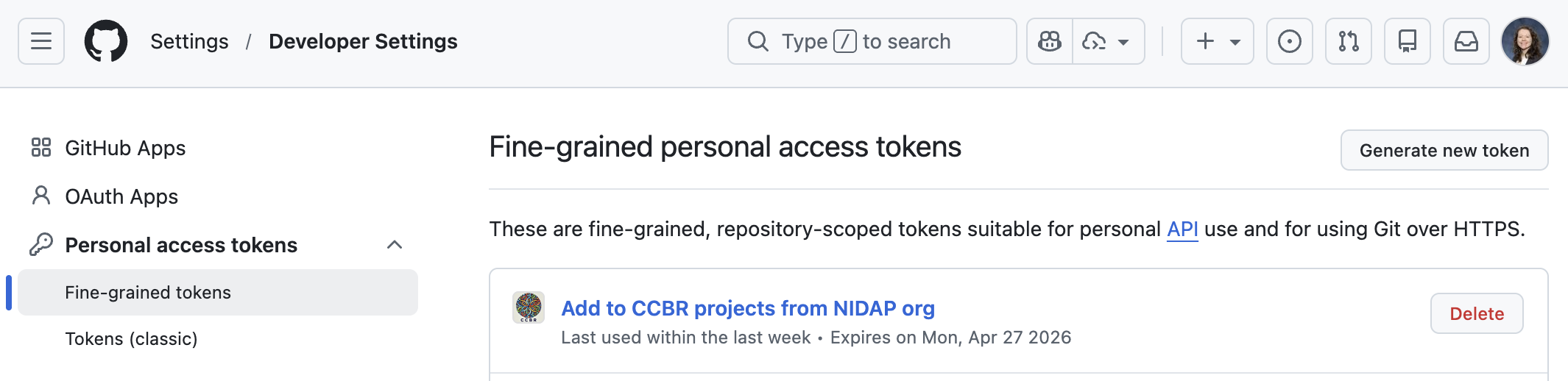
Navigate to the fine-grained tokens page on GitHub: https://github.com/settings/personal-access-tokens
Click Generate new token
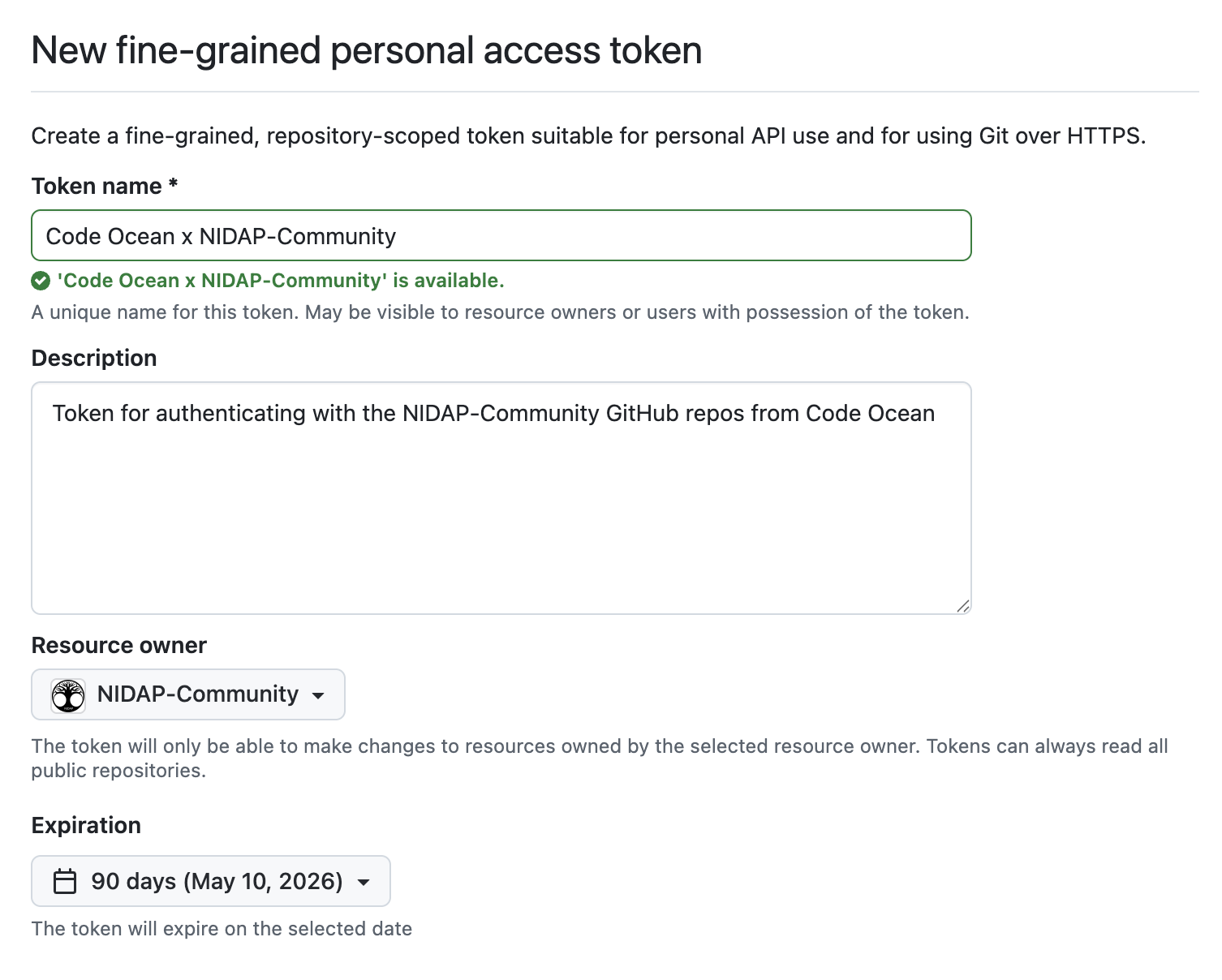
Fill out the token name and description. It should be descriptive enough that you will know why you created the token and how it is being used when you come back to this page in three months.
Select the Resource owner, set the Expiration to 90 days, and select All repositories for access. The token will have access to any repository in the resource owner (an organization or your personal account) that you have access to.
Under Permissions, click Add permissions and add the scopes that the token will need to access. Most likely you will need to add Read and write access for Contents, and perhaps also Workflows.
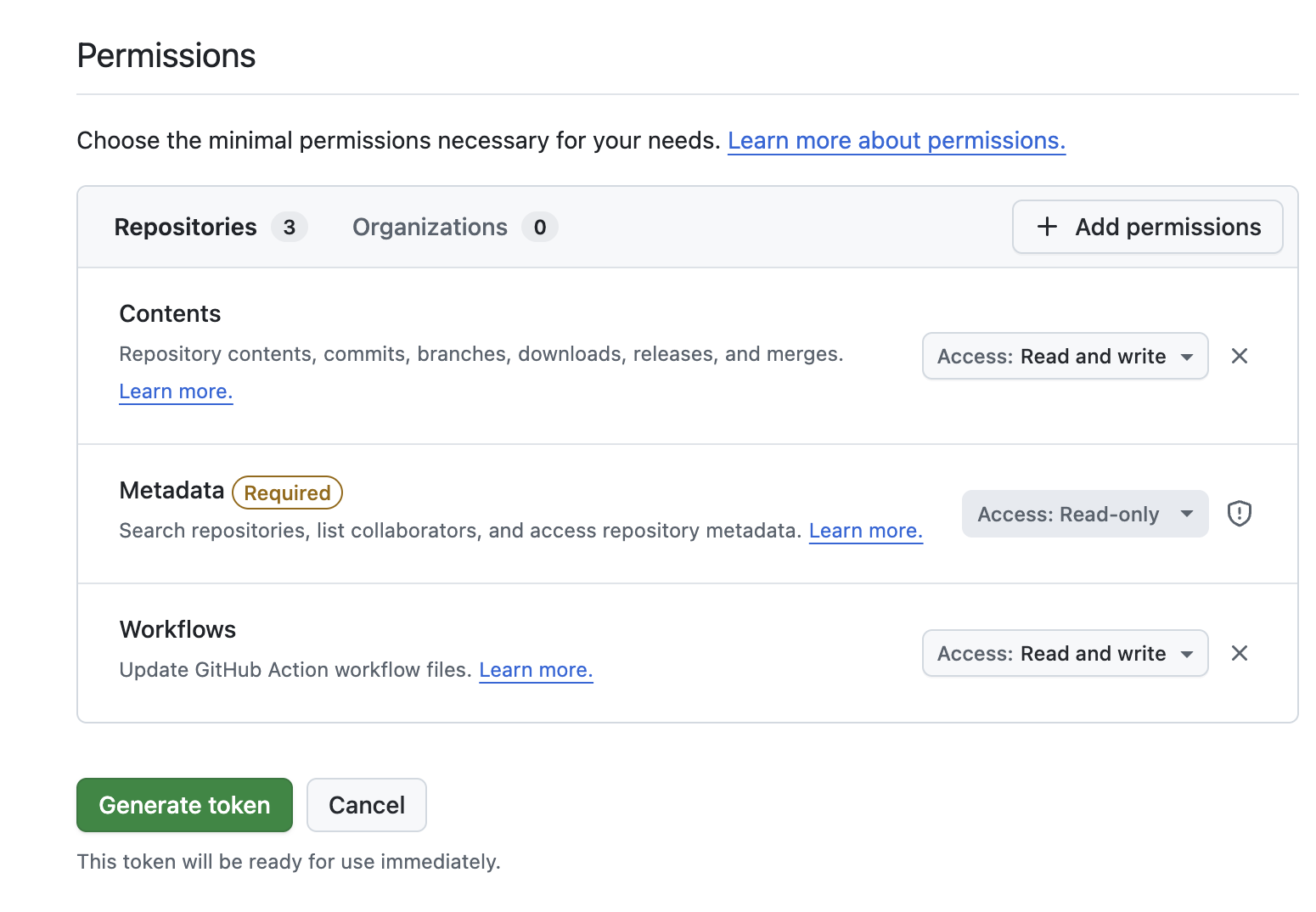
Once you’re ready, click Generate token.
Copy the token to your clipboard.
Protect the token just like you protect your passwords! Do not share it with anyone.
Code Ocean
If you’re using this token for Code Ocean, you’ll need to add it to your Code Ocean Account. In Code Ocean, click the Account icon, go to Credentials, click Add Credentials, and select GitHub Credentials.

Enter your GitHub username and paste in the token you just created.

Click Add Credential. You’re ready to sync repos with GitHub in Code Ocean!
Help
For more information, see the GitHub docs.